File - Equipment
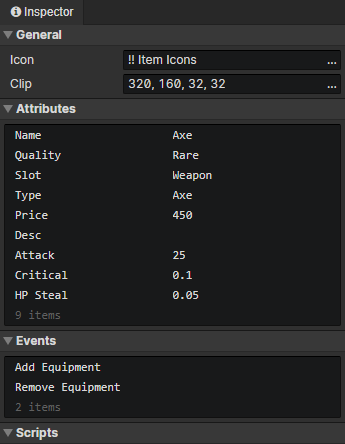
General
- Icon:Equipment icon, loaded into the image element via the "Load Image" command
- Clip:Crop the specified rectangular area of the equipment icon
Attributes
Support Boolean, Number, String, and Enumeration(String) types.
Add custom attributes in "Window -> Object Attribute".
Read or write equipment attributes via "Set Boolean", "Set Number", "Set String" commands.
Events
Access "event trigger actor" in the event to get the actor with this equipment
Access "event trigger equipment" in the event to get this equipment
- Create:Triggered at equipment initialization (once)
- Add Equipment:Triggered when an actor adds this equipment via "Change Actor Equipment" command
- Remove Equipment:Triggered when an actor removes this equipment with the "Change Actor Equipment" command
- Custom Events:Custom events can be called via the "Call Event" command
Scripts
Add Javascript files to extend this equipment